API keys for CI/CD
An API key authenticates a machine — a CI pipeline, a deploy script, an automation job — against a single project. Keys live under Settings → API Keys.
Creating a key
-
Go to Settings → API Keys and click Create API Key.
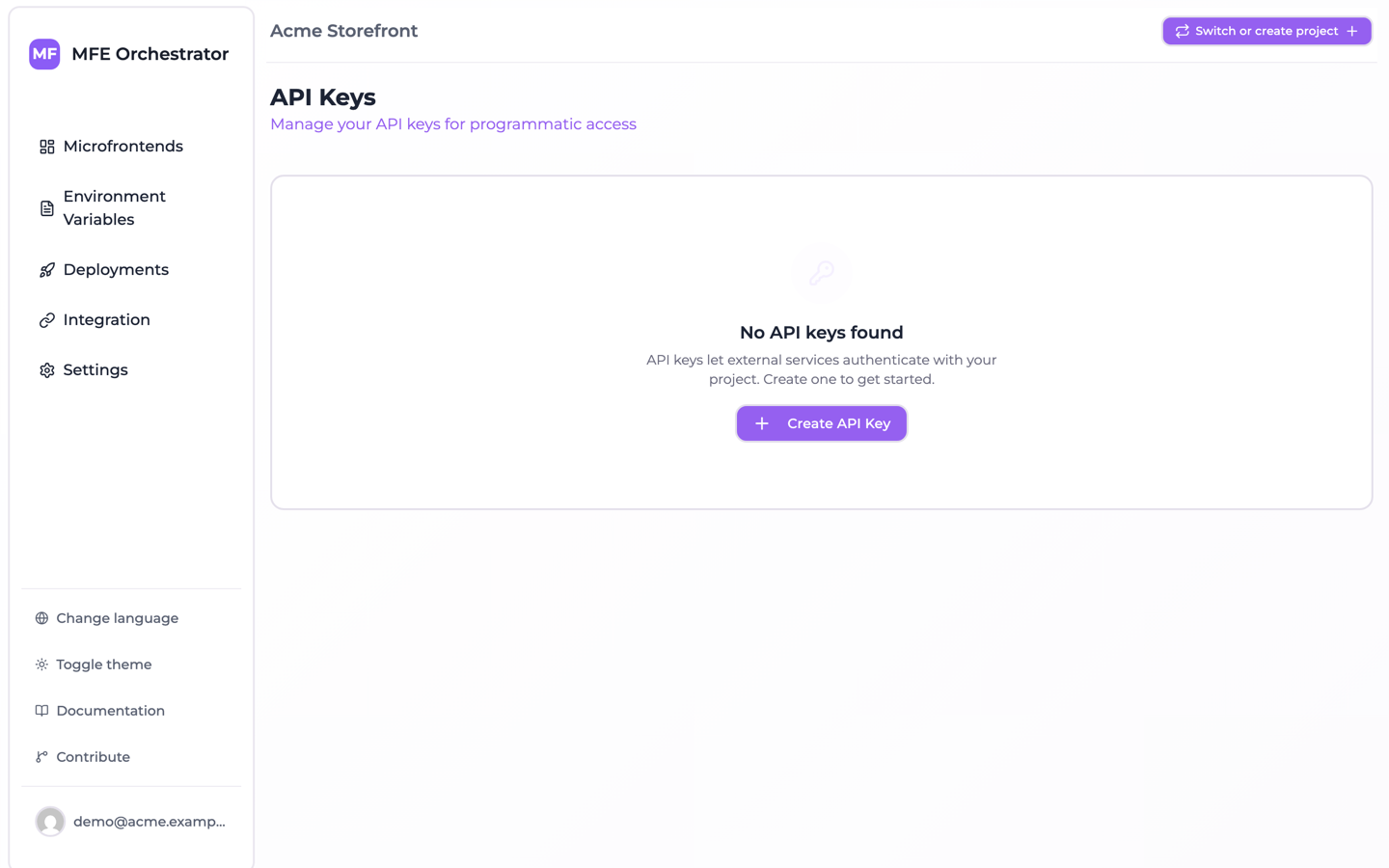
-
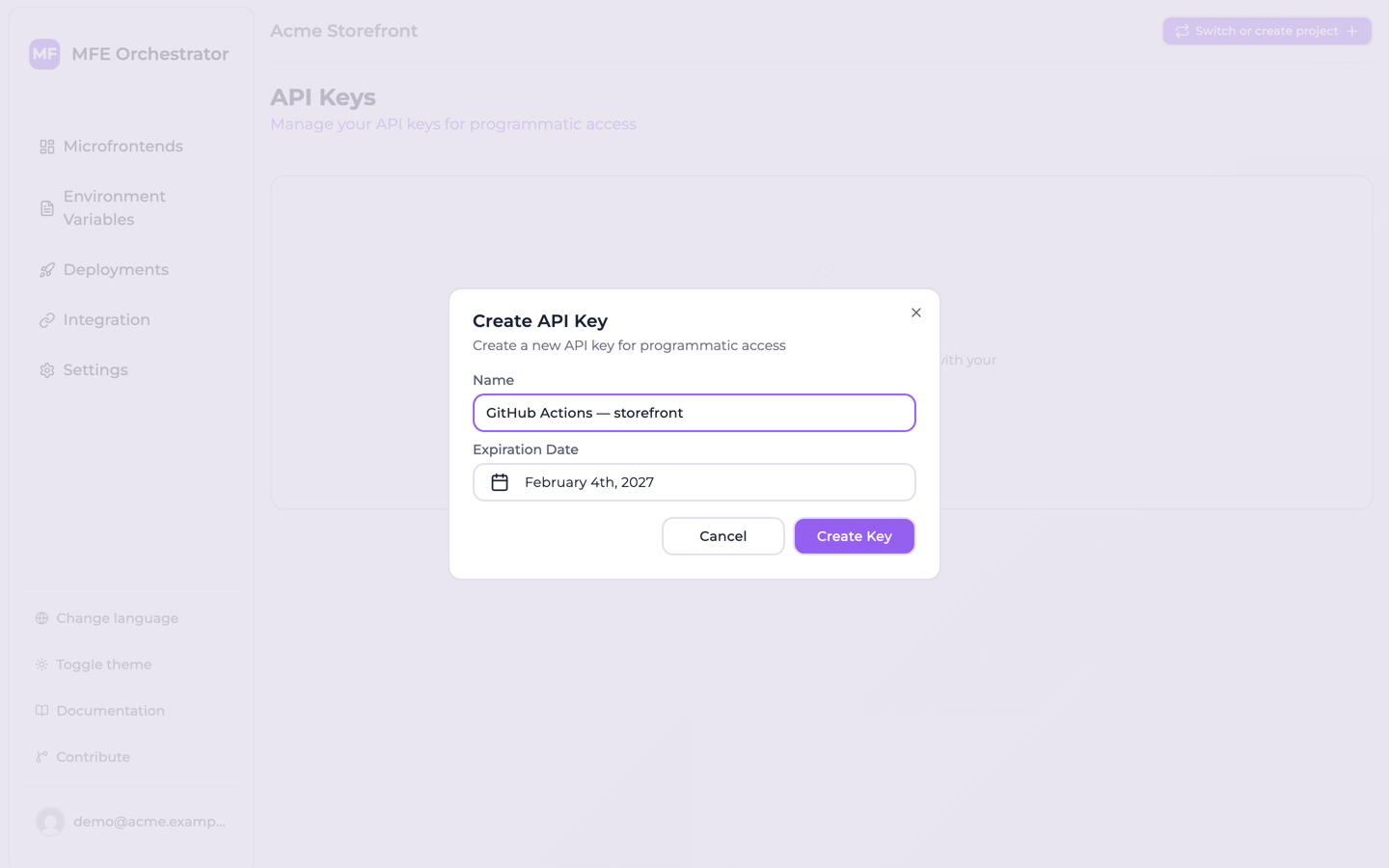
Give it a Name describing where it will be used, e.g. catalog GitHub Actions.
-
Pick an Expiration Date. The date is sent as the start of the selected day (midnight UTC), so pick the day after the last one you want the key dated for.
-
Click Create Key.
The key is displayed once, in a dialog with a Copy & Close button.
The key is stored hashed and can never be retrieved again — the list view has no key column at all. If you lose it, delete the key and create a new one.
Expiry
Every key carries an expiry date and the list marks it Active, Expiring soon or Expired from that date. The date is enforced: from the moment it passes, a request with the key is refused with API key expired on …. There is no way to create a non-expiring key.
Put the expiry date in whatever calendar your team actually reads. Rotate before it: create the new key first, update the consumer, then delete the old one.
What a key can call
The endpoints a pipeline needs:
-
the upload of a microfrontend version:
POST <API_BASE>/microfrontends/by-slug/:slug/upload/:version -
registering the version of a Docker frontend or a service once its image is pushed, and reporting where it was deployed. These require a
MANAGERkey; the template pipelines call them for you.
Plus the MCP server, where a key stands in for clients that cannot sign in with OAuth.
Everything else on the API — creating a deployment, editing a microfrontend, reading the build status — is authenticated with the token of a signed-in user and answers an API key with an authentication error. So a pipeline can publish a version, and it cannot deploy it; see publishing does not deploy.
Roles
A key carries a role in the database — MANAGER or VIEWER — and neither the console nor the API
gives you anything to do with it.
- You cannot choose it. The create dialog asks for a name and an expiry date, nothing else, and
every key it produces is a
MANAGER. Keys created automatically for a scaffolded repository areMANAGERtoo. - It is checked where it matters for CI and AI clients. Registering the version of a service or
a Docker frontend, and reporting where it was deployed, require a
MANAGERkey. The MCP server gives aVIEWERkey read-only tools. Uploading a microfrontend bundle does not read the role. AVIEWERkey can be created through the console assistant, not from the create dialog.
Treat the key itself as the credential to protect. Anywhere the CI pages ask for a key, any key the console gives you is the right one.
Keys created for you
You often do not need to create a key at all. Connecting a code repository — or editing an existing
connection — creates a key and writes it into your Git provider under the name the generated
pipelines read, MICROFRONTEND_ORCHESTRATOR_API_KEY. It happens once per connection, not once per
microfrontend, and is skipped when a secret of that name already exists.
| Provider | Where the key is written | Scope |
|---|---|---|
| GitHub | Organization secret, visible to all repositories | The organization on the connection |
| GitLab | Group CI/CD variable | The group you selected on the connection |
| Azure DevOps | Variable group MFE_ORCHESTRATOR_SECRETS | The Azure DevOps project |
Each injector needs an organization or group id and returns without doing anything when there is none. A GitHub connection to a personal account has no organization, so no secret is written and a pipeline in an existing repository cannot authenticate — the publish step fails with an authentication error on its first run and nothing in the console says why.
For repositories the console creates itself under a personal connection it falls back to a
repository secret of the same name, so those work. Repositories you connected by hand need the
secret added by hand: create an API key and add it as a repository secret named
MICROFRONTEND_ORCHESTRATOR_API_KEY.
You will find these keys in the API Keys list named
MFE_ORCHESTRATOR_DEPLOY_SECRET - <provider> - <repository>. Do not delete them unless you intend
to break the corresponding pipeline.
An automatically created key now expires after a year. Older versions of the platform computed 365 hours instead, about 15 days, and expiry is enforced: a pipeline whose key was created that way fails with API key expired. Create a new key and update the pipeline secret.
Using a key
Send it in the api-key header:
curl -X POST \
  -H "api-key: $MFE_ORCHESTRATOR_API_KEY" \
  -F "file=@dist.zip" \
  "<API_BASE>/microfrontends/by-slug/catalog/upload/1.4.0"
A query parameter is also accepted, for clients that cannot set headers:
<API_BASE>/microfrontends/by-slug/catalog/upload/1.4.0?apiKey=…
Query strings end up in access logs, browser history and proxy logs. Use ?apiKey= only when
setting a header is genuinely impossible.
The project is derived from the key, so requests authenticated this way do not need a project-id
header.
Stopping a key
In the console there is one action: Delete, the trash button on the key's row in the list.
A key can also be revoked: it stays in the list, and every request with it is refused with
API key revoked. The console has no Revoke button; the API (PUT /api-keys/:id/revoke) and the
console assistant can do it. Revoke when you want to keep the
record for the audit trail, delete when you do not.
Good practice
One key per consumer. A key per pipeline, not one shared across the organisation. Rotating or revoking then affects one thing, and the name tells you what breaks.
Never commit a key. Use your CI's secret store. Keys are UUIDs and match no distinctive pattern, so secret scanners will not catch one you paste into a repository.
Scope by project. A key grants access to its project only. Cross-project automation needs one key per project — which is the correct blast radius, not an inconvenience to work around.
Treat a leaked key as a live incident. Any key can publish arbitrary JavaScript to your production microfrontends. Delete it first, investigate second — deleting is the only thing that stops it, and nothing else you can do in the console reduces its access at all. Then create a replacement and update the consumer.