Hosts and remotes in Module Federation
Frontends composed with Module Federation only form an architecture once the pieces know about each other. This page covers how Flightroom models those relationships, and what it does with them.
The relation graph
Every frontend can have parents — the hosts that load it. In the Diagram view on the Frontends page, relations are the arrows between nodes; you create and remove them there directly.
A typical setup looks like this:
        shell  (host)
       ╱   │   ╲
 catalog  cart  account   (remotes)
              ╲
             payments     (remote of a remote)
In the console the same graph looks like this — payments is a remote of cart, which is
itself a remote of shell:
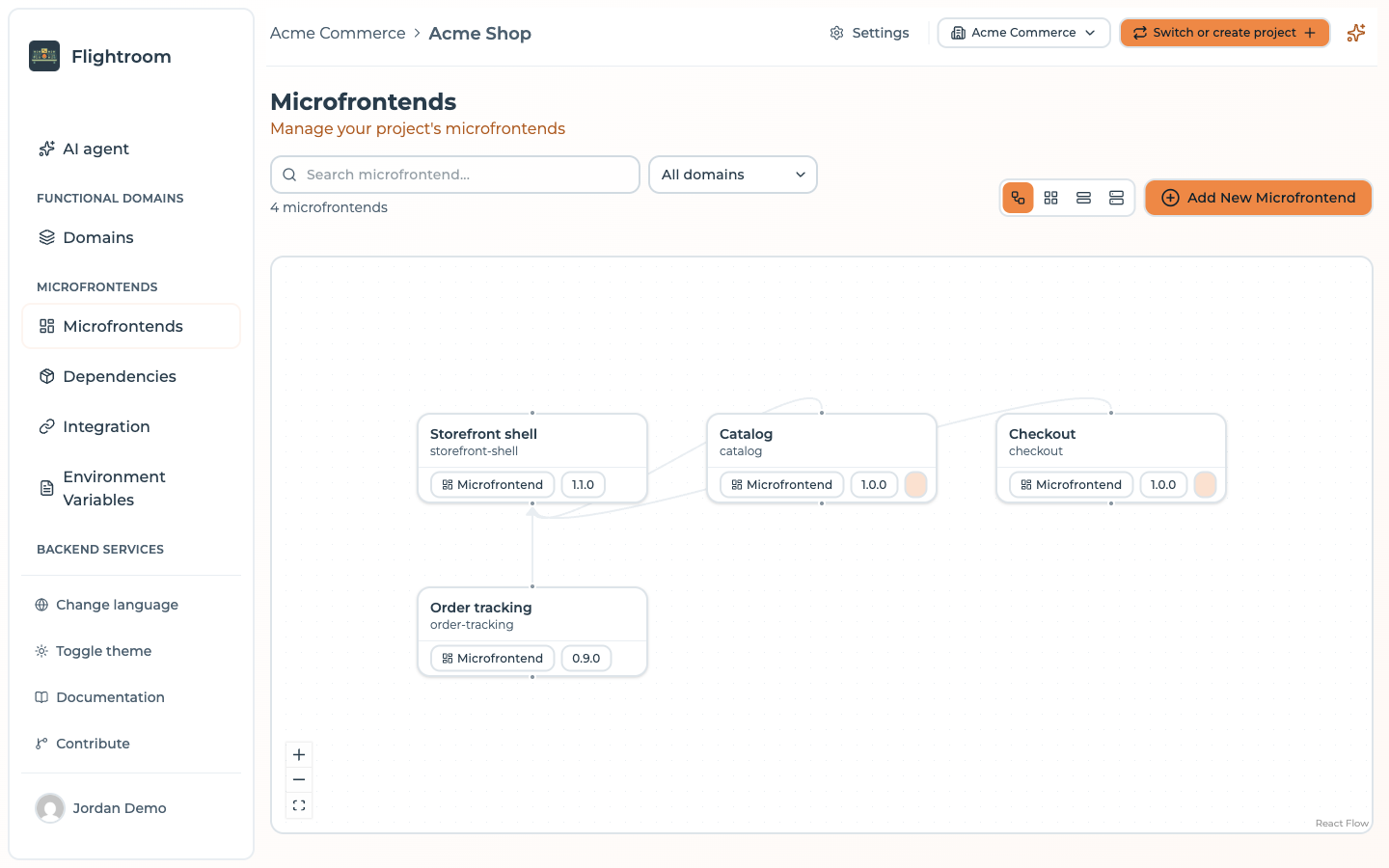
Nothing stops a remote from being a host of other remotes, and nothing stops a remote from having several parents — a shared design-system remote consumed by three hosts is a perfectly normal shape. The one exception is a frontend of the Docker kind, served by its own Docker container: it can have children but no parents, so in the Diagram view no link can end on it.
In the Diagram view, drag from a node's bottom handle to another node to make the second a remote of the first. Dropping the link on empty canvas starts a new frontend already set as a child of the node you dragged from. To remove a relation, select the link and press Delete.
Why the graph matters
The graph is what lets Flightroom generate your Module Federation configuration. When a host asks the platform for its remotes, the answer is computed as:
all frontends in the active deployment whose parents include this host
and each of them is resolved to a concrete URL, based on that frontend's hosting type and the version frozen in the deployment.
The consequence worth internalising: your host's build configuration does not contain version
numbers or URLs. It contains the remote names and a call into the
client SDK, which fetches the URLs at import time. Bumping a remote
from 1.3.0 to 1.4.0 in production is a deployment, not a host rebuild.
Remote naming
Module Federation remote names cannot contain / or -, so Flightroom derives the name
from the slug by replacing every / with _ and removing every -:
| Slug | Remote name |
|---|---|
catalog | catalog |
product-catalog | productcatalog |
shop/catalog | shop_catalog |
This derived name is what appears in the generated config and what you use in your import
statements:
const Catalog = React.lazy(() => import('productcatalog/App'))
Prefer slugs without dashes when you can. catalog reads better than productcatalog in your
imports, and there is no ambiguity about what the remote name will be.
Getting the configuration
Once the graph is set up and the environment is deployed, open Integration in the sidebar, select the host frontend, and copy the generated configuration for your bundler. See:
For hosts whose repository is connected there is an alternative to copy and paste. Two buttons sit next to the frontend selector: Integrate my frontends, for every frontend of the project that consumes another one, and Integrate only this one, for the selected one. Both open the same dialog, which shows the config that would be written for each repository and a diff against what that repository holds today; you pick which ones to commit, and the write lands on the default branch of each. Committing wires frontends of every domain together, so it needs access to the whole project: a member limited to specific domains can open the dialog but not commit.
Shared dependencies
The generated configuration shares the framework core, and only that — the list depends on the detected framework:
| Framework | Shared |
|---|---|
| React | react, react-dom |
| Vue | vue |
| Angular | @angular/core, @angular/common, @angular/platform-browser, rxjs |
This is what prevents two copies of the framework from being loaded — a failure mode that produces
confusing hook errors rather than an obvious crash. The Webpack form marks each of them
singleton: true; the Vite form lists them, and no version range is pinned, so federation reads it
from your own package.json.
Nothing else is shared, on purpose: declaring a package the application does not depend on fails the
build. So if your frontends share other libraries — a router, a state manager, a design system,
a date library — add them to the shared block yourself, in every participating frontend, hosts
and remotes alike. The generated config is a starting point, not a final answer; keep the shared list
in sync across the graph.