Databases
A project can register the SQL databases its apps work with, so that the data your company already has is known to the project. Flightroom stores the connection and tests it. It does not create databases, and it does not wire a registered database into a service for you: give a service its connection details through a secret.
Databases live under Databases, in the Cloud section of the sidebar, and are also reachable
from Settings → Resources. The list shows each database's Name, Engine and Address:
host:port/database for one registered with host and credentials, Connection string for the others.
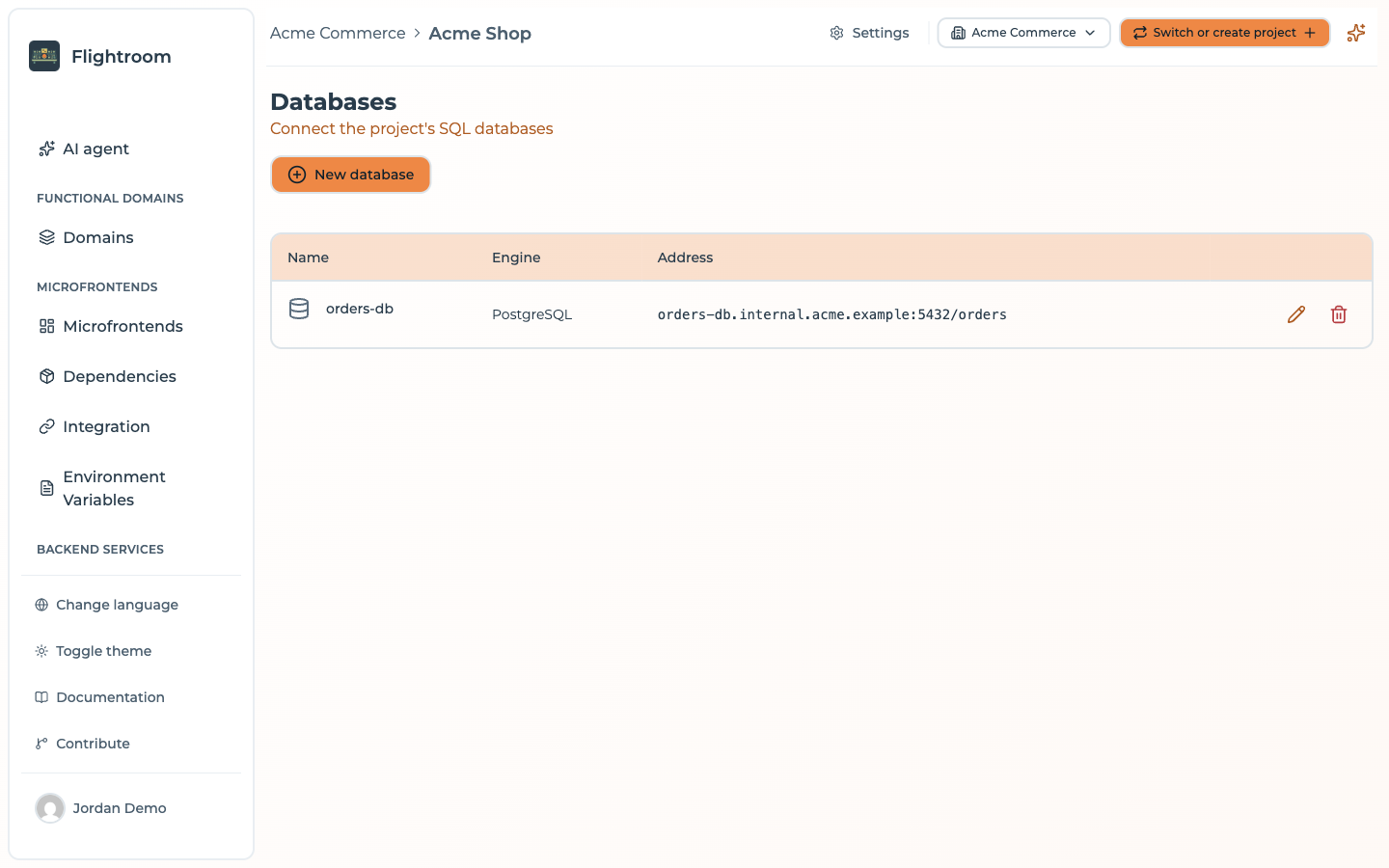
Registering a database
Press New database and fill in:
| Field | Notes |
|---|---|
| Name | How the project calls it, e.g. orders-production |
| Engine | PostgreSQL, MySQL, MariaDB, SQL Server or Oracle. PostgreSQL by default |
| Connection mode | Host and credentials, the default, or Connection string |
With Host and credentials:
| Field | Notes |
|---|---|
| Host | Required |
| Port | A number between 1 and 65535. It follows the default port of the engine you pick (5432 PostgreSQL, 3306 MySQL and MariaDB, 1433 SQL Server, 1521 Oracle) until you change it by hand |
| Database name | Required |
| Username | Required |
| Password | Required |
| Encrypted connection (SSL/TLS) | Connects over TLS. On by default |
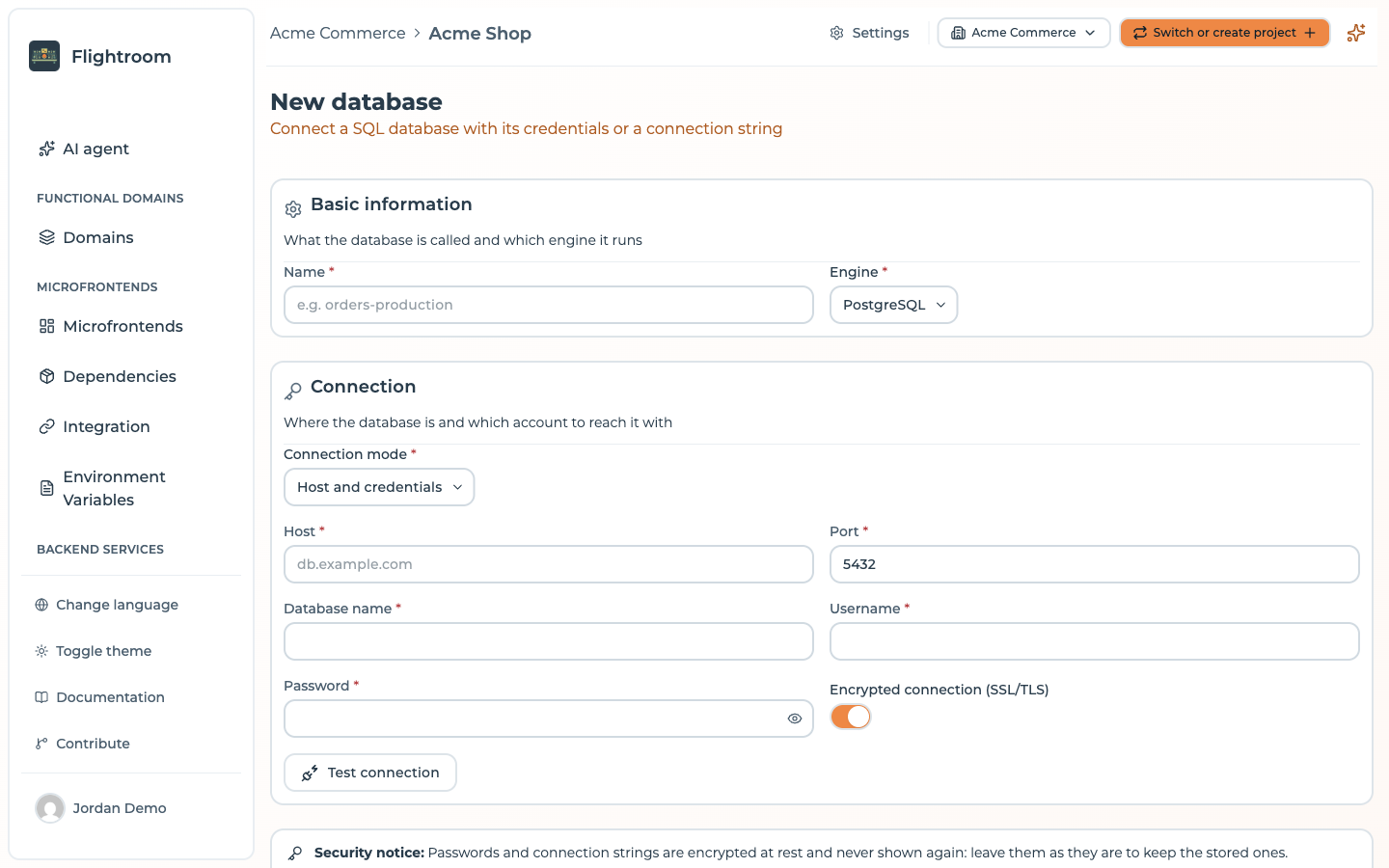
With Connection string, paste the string in the format of the engine; the form shows an example for each one.
Testing the connection
Test connection connects from the Flightroom server with what the form holds, without saving it,
and runs SELECT 1. The connection times out after 5 seconds, and the result says what the database
answered when it fails.
Tests are limited to 10 per minute per user, counted together with the connection tests of the other screens of the console.
The test runs from the Flightroom server, not from your cluster: a database reachable only from inside the cluster fails the test even though your services can reach it.
Credentials
Passwords and connection strings are never shown again once saved: leave them as they are to keep
the stored ones. They are encrypted at rest when the installation sets SECRETS_ENCRYPTION_KEY. A stored password is kept only while the engine and the address stay the
same. Change the engine, the host, the port, the database name or the username, and you are asked to
type it again, so that a stored password is never sent to another host.
Removing a database from the project disconnects it only: the database and its data are not touched.
Who can change databases
Viewers, and members scoped to a functional domain, can see the databases of the project but cannot create, edit, test or delete them: databases belong to the whole project, not to one of its domains.
An administrator of the organization is the exception among viewers: even with the Viewer role in the project, they act there as an owner and can change its databases.
Where to go next
- Config maps and secrets: passing connection details to a service
- Encryption at rest: how stored credentials are protected