Services
A service is a backend of the project that runs as a container in Kubernetes: an API, a worker, or an agent that calls a model. The console holds its definition, the versions its CI pipeline publishes and the configuration it receives, and the Deploy button ships it as described in Deploy to Kubernetes.
Services live under Services, in the Backend services section of the sidebar.
The list of services
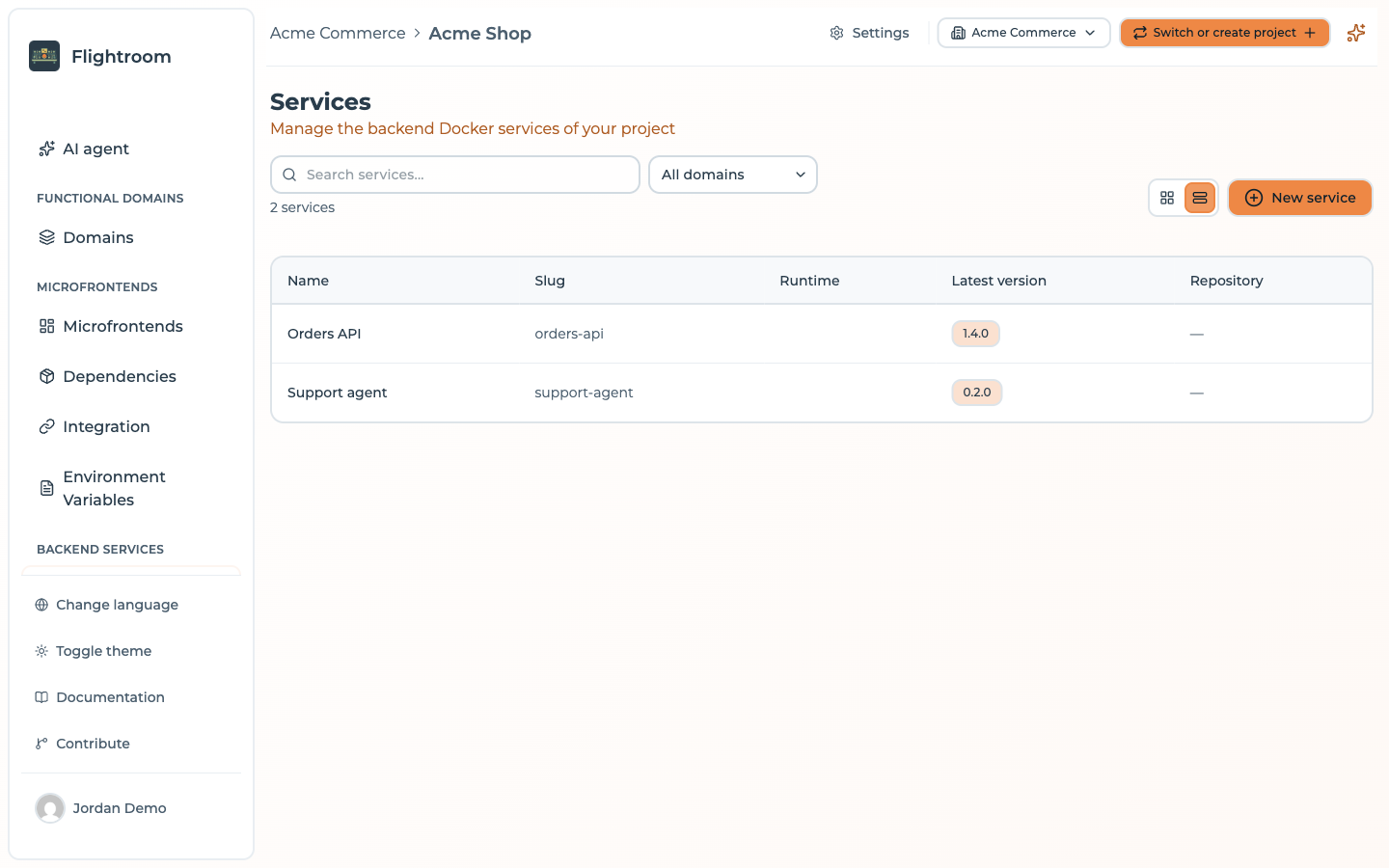
The list opens at /services. Switch between a Grid view and a Table view with the buttons
next to New service. Search by name or slug, and narrow the list to one functional domain with
the domain filter.
The table view shows, for each service:
| Column | Content |
|---|---|
| Name | The name of the service |
| Slug | Its identifier in URLs and in the CI registration |
| Runtime | Node.js, Python, Go, .NET, Java or Other |
| Latest version | The version the service is at, the one the next deploy ships |
| Repository | The linked code repository |
A project without services shows Create from a template instead.
Creating a service
Press New service. The form opens at /service/new.
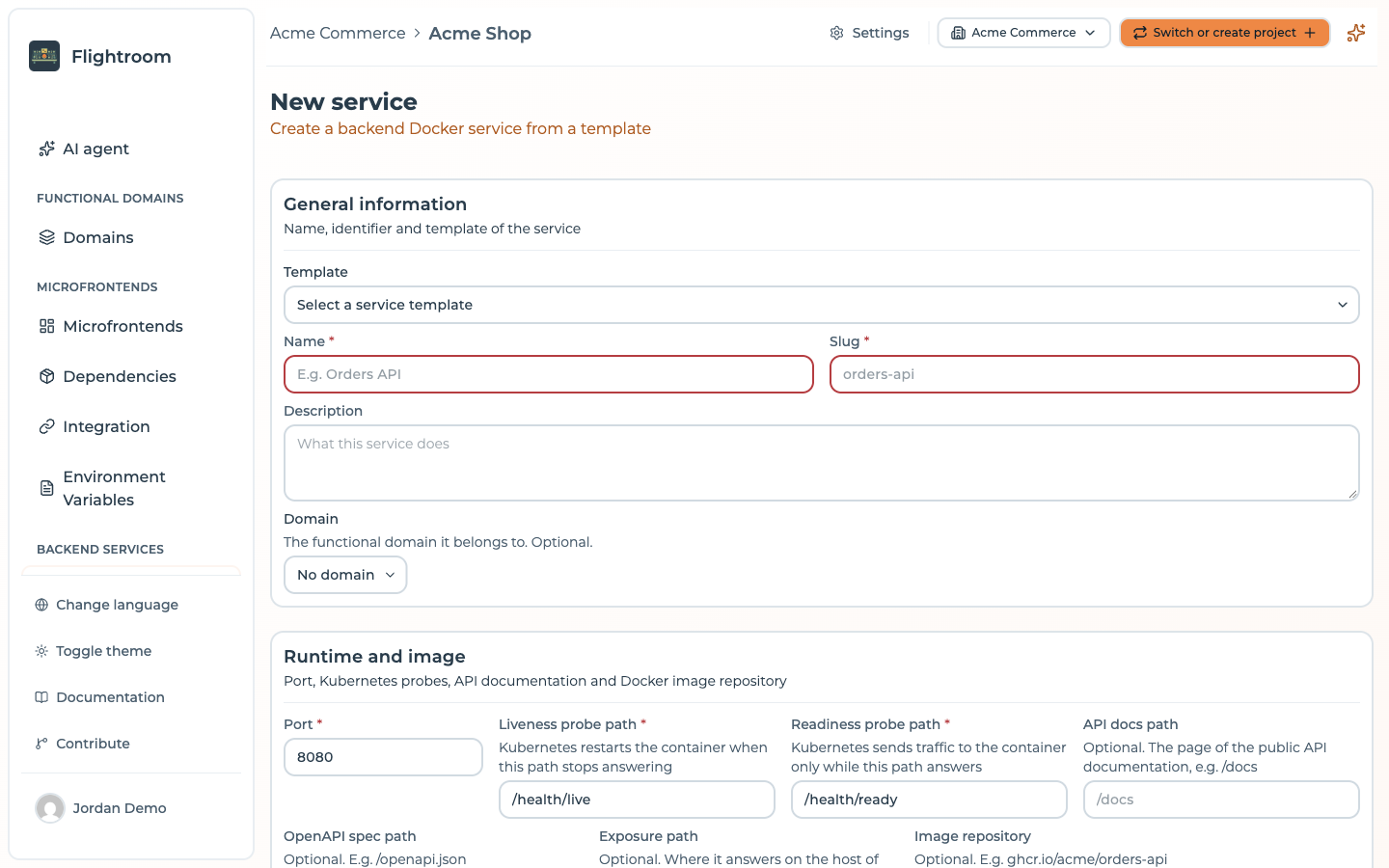
General information
| Field | Notes |
|---|---|
| Template | The service template to start from, listed as name (framework). Optional |
| Name | 3 to 100 characters. Typing it fills the slug |
| Slug | 2 to 50 lowercase letters, digits or dashes, not starting with a dash. Unique in the project, and fixed once the service exists: the CI registration URL is built on it |
| Description | What the service does |
| Domain | The functional domain it belongs to. Optional |
Choosing a template fills Port, the probe paths, API docs path and OpenAPI spec path with the template's values. Only the fields you have not edited by hand are replaced, so picking another template does not overwrite what you typed.
Runtime and image
| Field | Notes |
|---|---|
| Port | The port the container listens on. 8080 by default |
| Liveness probe path | Kubernetes restarts the container when this path stops answering. /health/live by default |
| Readiness probe path | Kubernetes sends traffic to the container only while this path answers. /health/ready by default |
| API docs path | Optional. The page of the public API documentation, e.g. /docs |
| OpenAPI spec path | Optional. E.g. /openapi.json |
| Exposure path | Optional. Where the service answers on the host of every environment, e.g. /api/orders. See Exposure |
| Image repository | Optional. E.g. ghcr.io/acme/orders-api. Left blank, the first version the CI registers fills it |
Paths start with /, hold no spaces and are at most 256 characters long.
Endpoints
One base URL per environment of the project: where the service is reachable there, for example
https://orders-api.dev.example.com. Each one is an absolute http or https URL, without
credentials, query (?) or fragment (#). Leave it blank where the service is not exposed.
The API docs path and OpenAPI spec path are relative to these URLs: the overview of the service links each environment's documentation from them.
The endpoints only record where the service answers, for people and for the documentation links. They do not create any route. What puts a service on a URL in Kubernetes is its Exposure path, together with the project's exposure settings.
Code repository
When the project has a code repository connection, the Code Repository card creates a new repository for the service at the provider, from the selected template when there is one: code, Dockerfile and pipeline ready. A new service always gets a new repository; it cannot be linked to an existing one from this form.
Environment variables
The variables the container expects, each with a Name, a Description, and the Required and Secret switches. This list documents names only, never values: the values come from the config maps and secrets attached below.
Config maps and secrets
Tick the config maps and secrets of the project the service receives as environment variables. No key may be set by two of the selected maps. See Config maps and secrets.
AI context
Markdown notes for the AI agents working on the service: architecture, conventions, useful commands. AI agents read them before changing the service's code.
The pages of a service
A service has up to three tabs:
| Tab | Address | What it holds |
|---|---|---|
| Edit with AI | /service/:id | The AI workspace on the service's repository. See Change code with AI. Shown only when the project can use at least one AI model and the service has a linked code repository; otherwise the service opens on its overview |
| Overview | /service/:id/overview | What the service is and runs, read-only |
| Details & settings | /service/:id/settings | The same form as creation, without the template, and the danger zone |
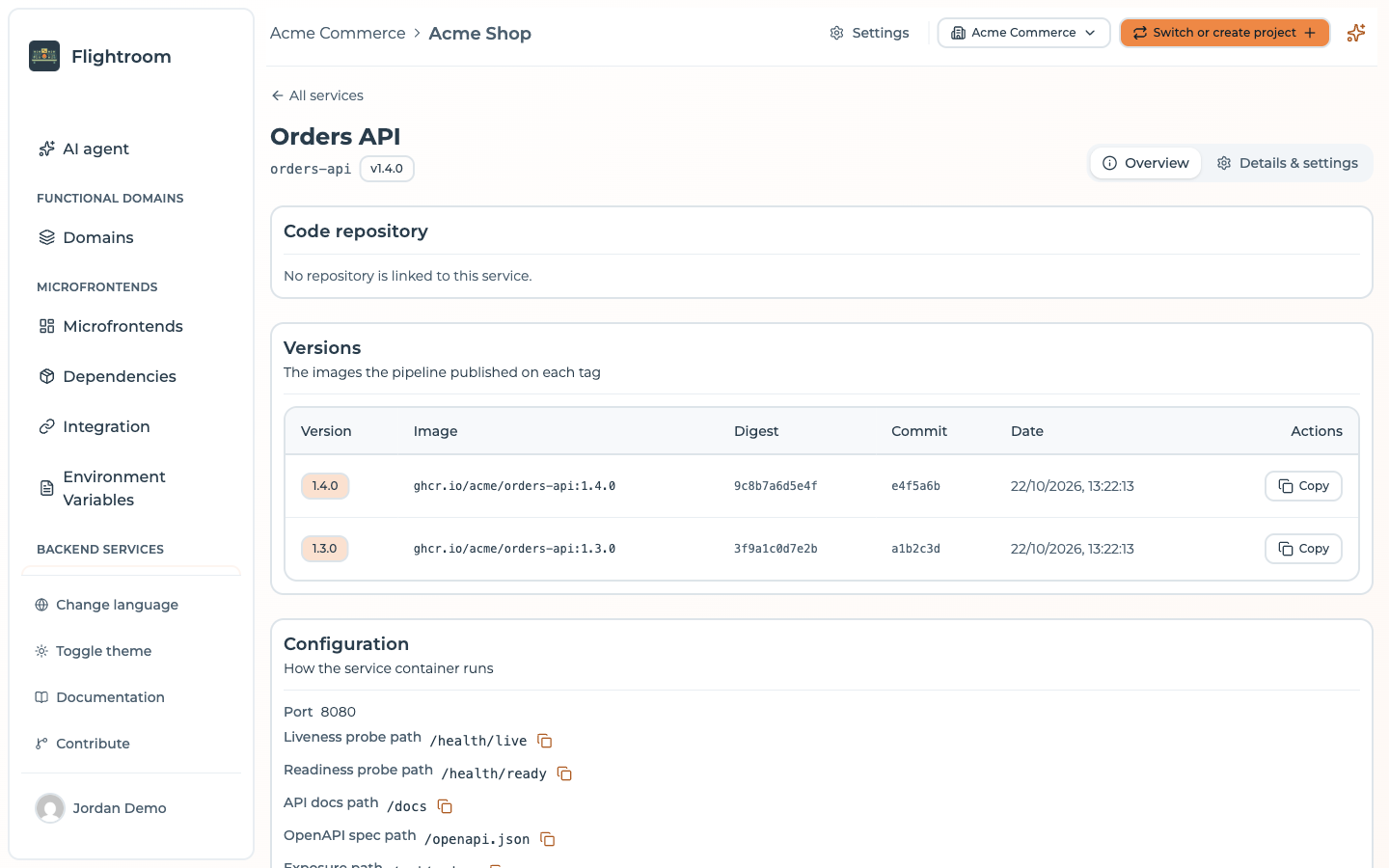
Overview
- Code repository: the linked repository, if any.
- Versions: the images the pipeline published on each tag, newest first, with Version, Image, Digest, Commit and Date, and a button to copy the image reference.
- Configuration: the port, the paths and the image repository, the endpoint of each environment with links to its API docs and OpenAPI spec, and the environment variables the container expects.
- Config maps and secrets: the maps the service attaches, map by map.
With a linked code repository, the overview also offers Create version, which tags the repository and starts the pipeline. See Rolling back a Kubernetes deploy for the dialog.
Deleting a service
At the bottom of Details & settings, the Danger zone deletes the service. Confirm by typing its name. The service goes with its registered versions and the deploys reported for it; its local working copy and AI change requests are cleaned up too. The code repository is left untouched at the provider, and nothing is removed from the cluster until the next deploy of each environment drops its values file.
Image versions
A service does not build itself: its CI pipeline builds the image, pushes it to your registry, then tells the console about it. The service templates ship pipelines that do this for you.
POST <API_BASE>/services/by-slug/:serviceSlug/versions/:version
:version holds only letters, digits, ., - and _, at most 128 characters.
The call takes an API key with the MANAGER role, in the api-key header,
and a JSON body:
| Field | Notes |
|---|---|
image | Required. The full image reference, e.g. ghcr.io/acme/orders-api:1.2.0 |
digest | Optional. The image digest |
commitSha | Optional. The commit the image was built from |
curl -X POST \
  -H "api-key: $MFE_ORCHESTRATOR_API_KEY" \
  -H "Content-Type: application/json" \
  -d '{"image": "ghcr.io/acme/orders-api:1.2.0", "commitSha": "3f2c1ab"}' \
  "<API_BASE>/services/by-slug/orders-api/versions/1.2.0"
- Running the pipeline again on the same tag replaces what was stored for that version.
- The service moves to the new version when it has none yet, or when the new one is a newer
semantic version. A tag such as
latestor a commit SHA is recorded but never moves the service. See Rolling back a Kubernetes deploy. - The first registration fills the Image repository of a service that has none, from the image reference without its tag and digest.
The Helm values file of the service uses its Image repository and its current version as the tag.
The image and digest you register are shown on the overview, but the deploy does not read them:
an image pushed to another repository than the one set on the service is not what Kubernetes pulls.
Reporting where a version runs
A deploy pipeline of your own can tell the console which version of a service now runs in an environment:
POST <API_BASE>/services/by-slug/:serviceSlug/environments/:environmentSlug/deployments
With a MANAGER API key, and a JSON body with version (required: letters, digits, ., - and
_, at most 128 characters), and optionally image and commitSha. The version does not have to be
one the CI registered. Every report is kept, and the latest one per environment is the version shown
as running there in the Deployed versions matrix of a
domain.
A Deploy made through GitOps does not write these reports: they come only from this call.
Where to go next
- Config maps and secrets: the configuration a service receives
- Exposure: putting a service on a URL
- Service and agent templates: what a template gives a new service